This article explains the steps needed to move an item from accounting back to the proofing screen for rebilling.
Edit Transaction Details
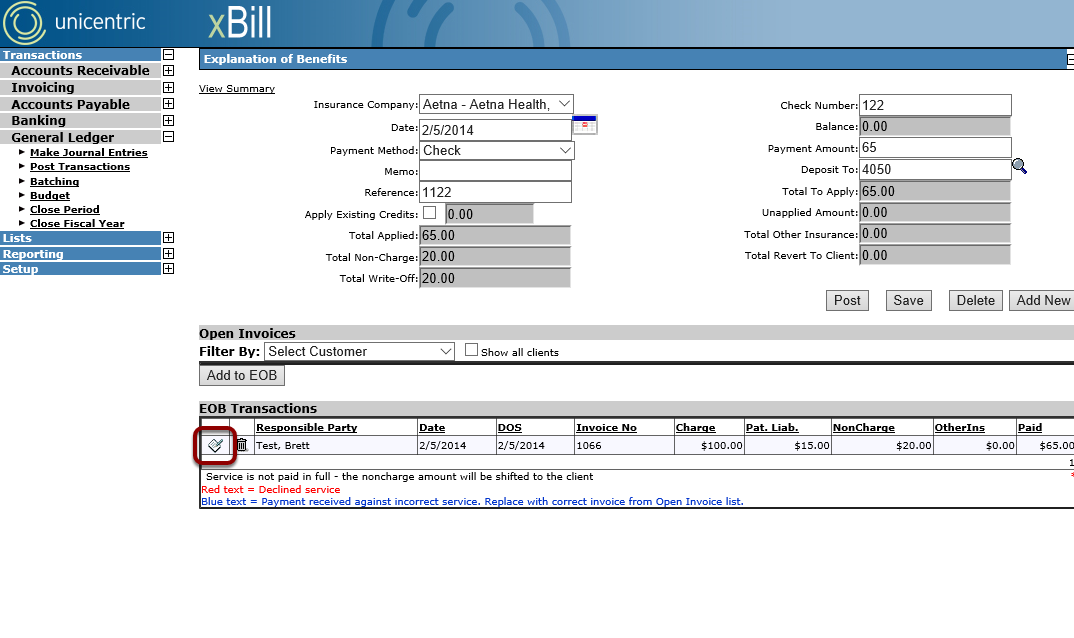
Click on the edit icon of a transaction to open the Transaction Detail section.
Mark As Declined
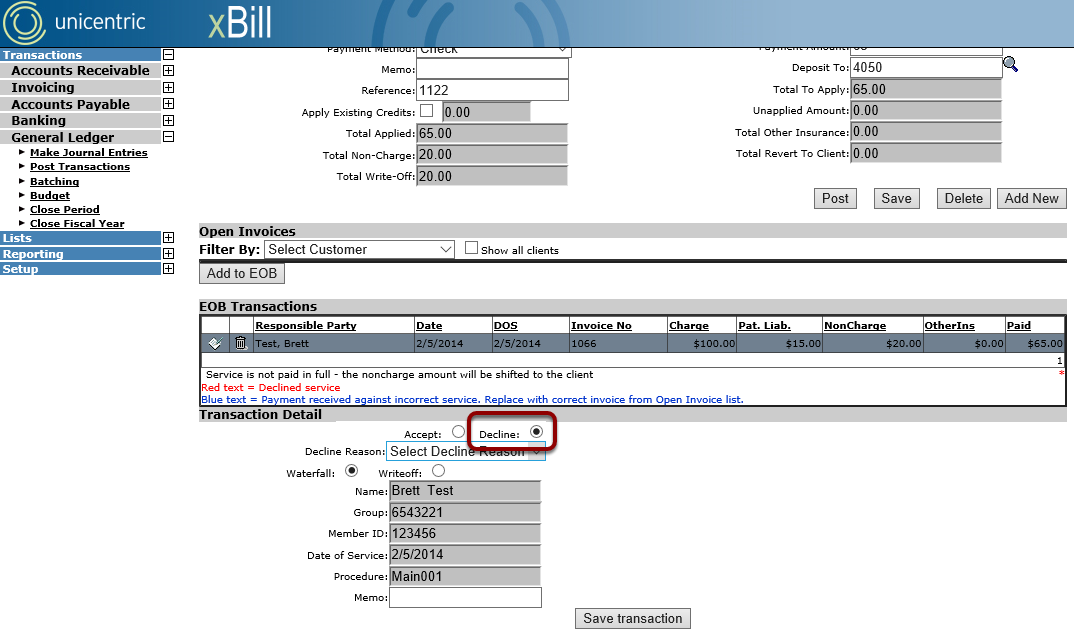
Select the Decline option in the Transaction Details section.
Mark As Waterfall
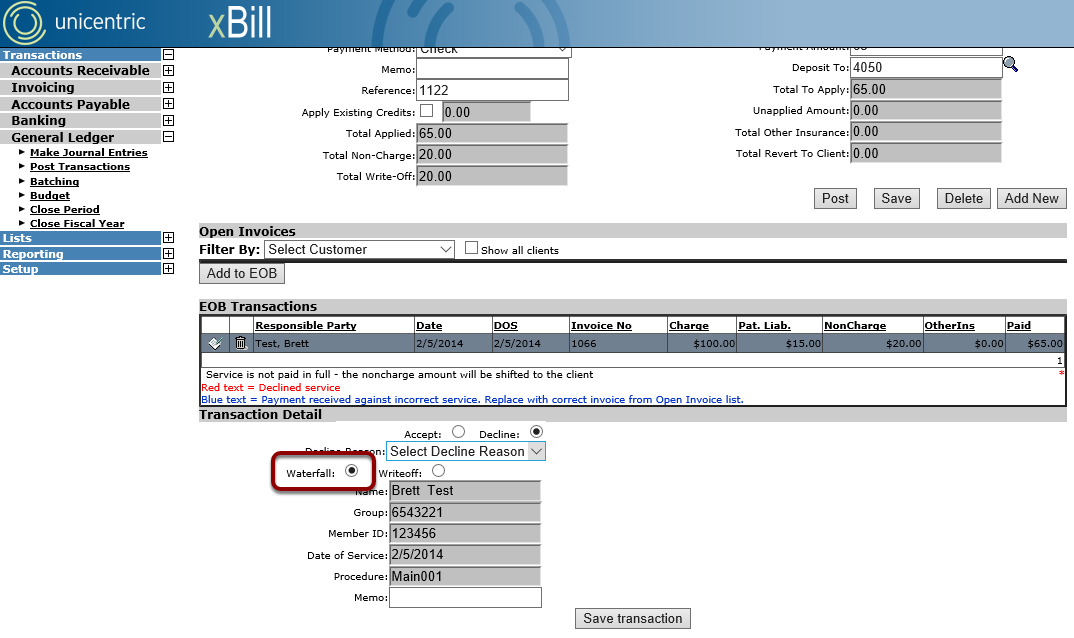
Select the Waterfall option in the Transaction Details section.
Fill Out Remaining Information
If necessary, select a Decline Reason or enter a Memo.
Save Transaction Detail
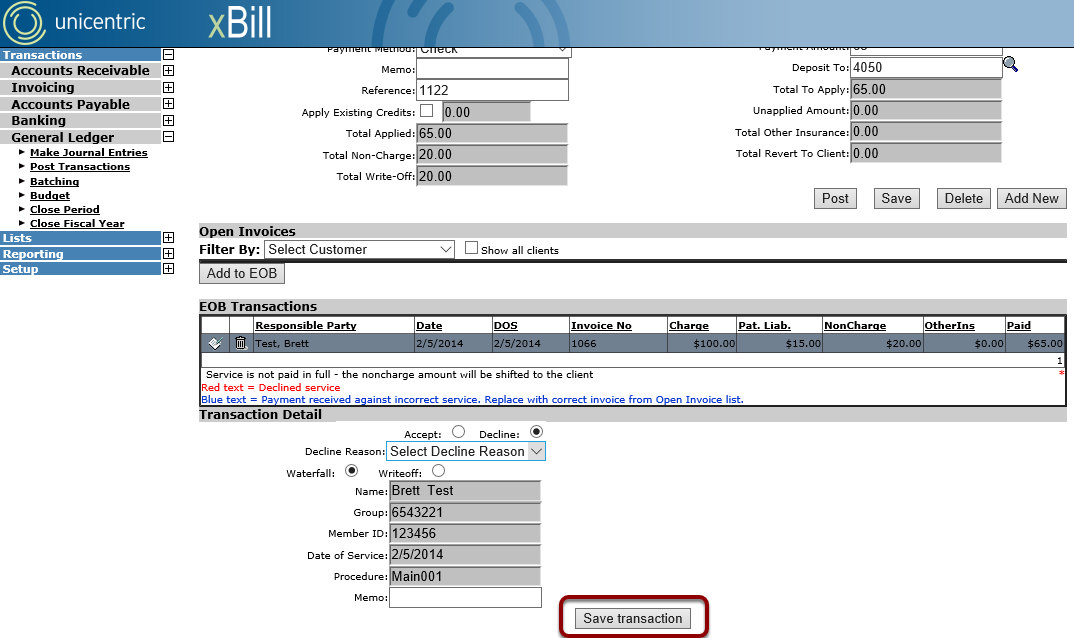
Click on the Save Transaction button to save changes to the transaction.
Repeat As Needed
Repeat these steps for each transaction that needs rolled back to the Proofing Screen.
Save the EOB
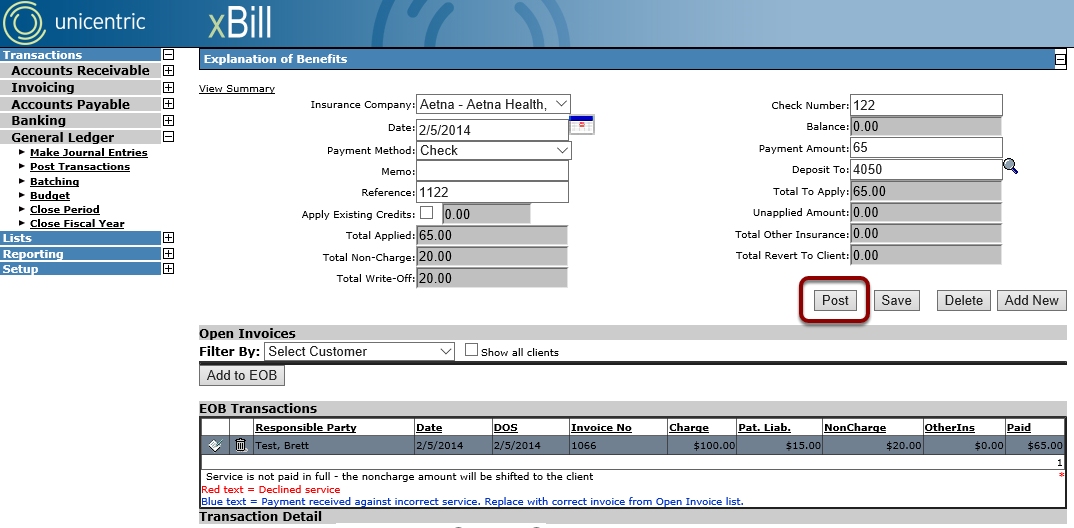
Once all transaction items in the EOB have been addressed, finalize and apply the selections by clicking on the Post button. All items marked as Declined and Waterfall will return to the Proofing Screen.