Explains all steps required to change your Unicentric password.
Naviagate to "My Preferences"
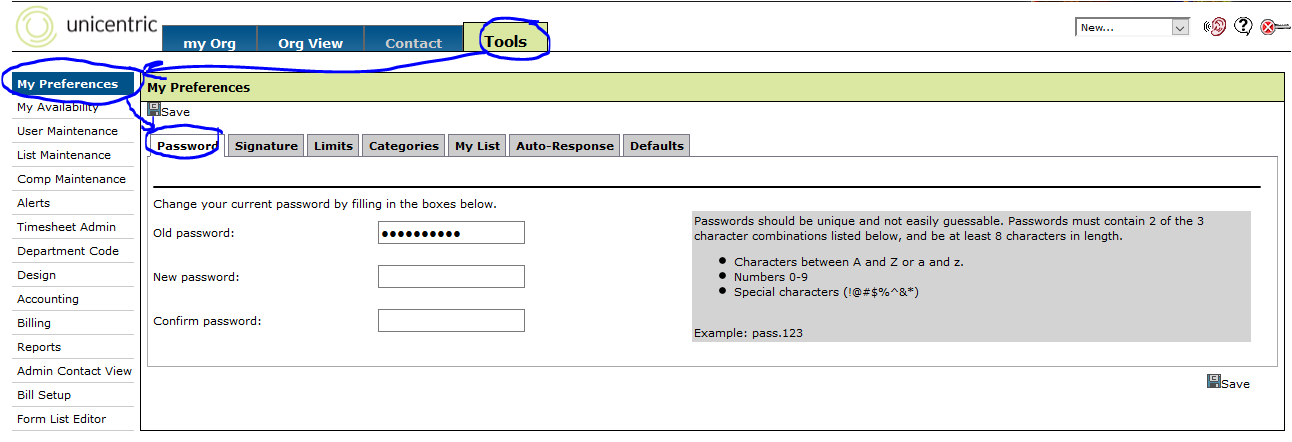
This can typically be done simply by clicking the "Tools" button that appears across the top of the screen after you login. For Reference, see the image above.
Creating a new password
By default, the "Password" section will be the first section(tab) opened when you get to My Preferences. Here you will need to enter your Old Password in the first box and then enter your new password twice for confirmation.
Please make sure you adhere to the guidelines in the gray box to the right to ensure that your new password is not easily guessable.
After entering in your new password, you will need to click the save button (bottom right hand corner of the screenshot above) to save your new password.