If you try to resubmit the same claim that was previously denied, you can receive a claim rejection for a duplicate claim.
The system will allow you to resubmit the claim with a new Id. This will cause the payer to see it as a new claim
First, navigate the the Third Party Billing screen in the system
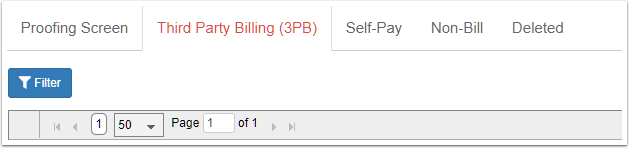
Click on the Filter button to select the posted batch.

Expand the batch to see the claims
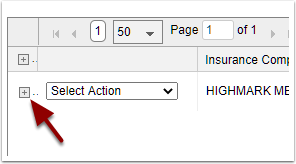
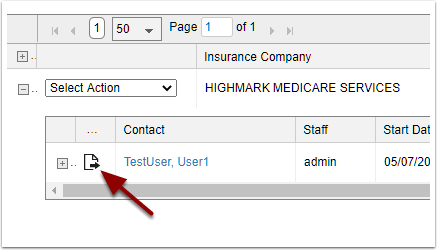
Click the resubmit icon next to the claim that needs resubmitted.
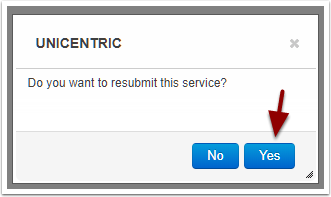
Click Yes on the confirm dialog
Repeat if there are other claims that need to be resubmitted
Navigate to the newly created batch
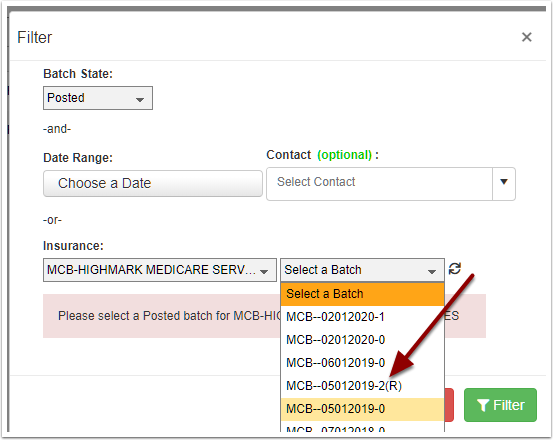
On the filter dialog, the resubmit batch will have an (R). You can verify that this batch contains all the claims you want to resubmit. When the resubmit batch is created, it is automatically marked to send, so you can see the batch under EDI
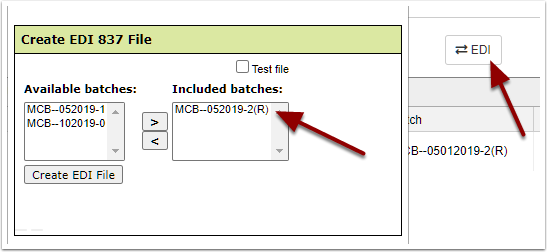
From the dialog you can click Create EDI File button to create the EDI file. When finished it will show in the Fiscal folder. This new EDI file can be sent or uploaded to your clearing house / payer portal.