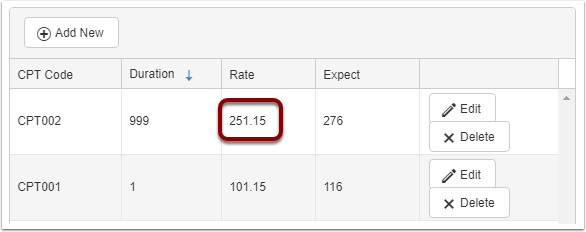
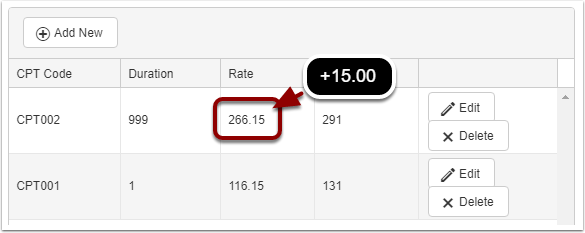
If you need to change a rate for a procedure code starting on a particular day, you can use the Clone feature located under the Rates tab on an insurance company.
First navigate to the insurance that needs the rate changed.
This is done under List Maintenance > Payment Sources
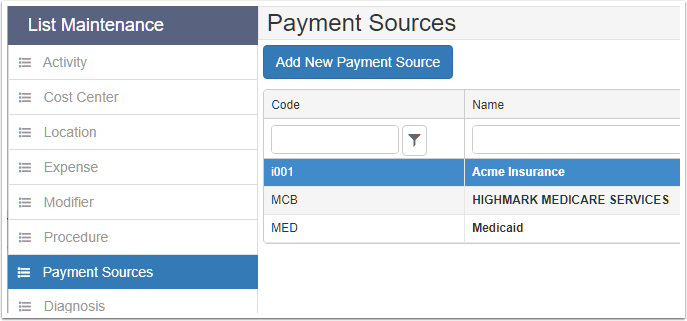
If the insurance company waterfalls CPT codes from another payer, load that payer up to clone the rate. If the rate is to only change for a particualr insurance, you will want to create a new rate under that payer,

Scroll to the Rates tab
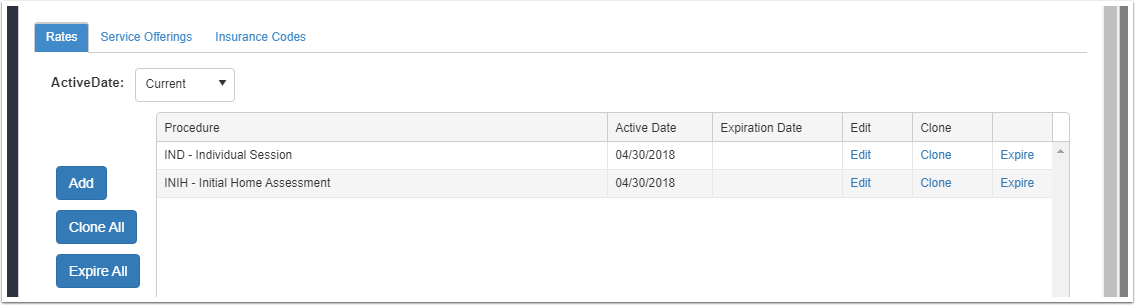
Locate the procedure in the list
Find the procedure you want to change the rate for, and click the Clone link
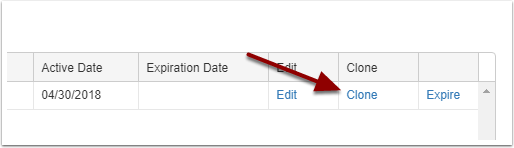
The steps behind the clone is to:
1. make a copy of this rate
2. expire the current rate
3. update the rate amount of the new
Services before the expiration date will have the existing rate, where services on/after the expiration date will have the new rate.
Enter the expiration date
You will enter the date the current rate will no longer be active.

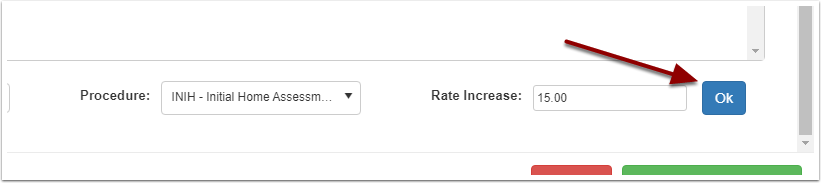
Enter the rate increase
You can enter a % amount or monetary amount. If the rate is increasing 5 percent, enter 5% into the field. If the rate is increasing 15 dollars, enter 15.00 into the field.

Click the Ok button
Viewing the new rate, you will see the increase compared to the previous.